Profile & access is your own page — what your role can see, and the account controls that belong to you alone.
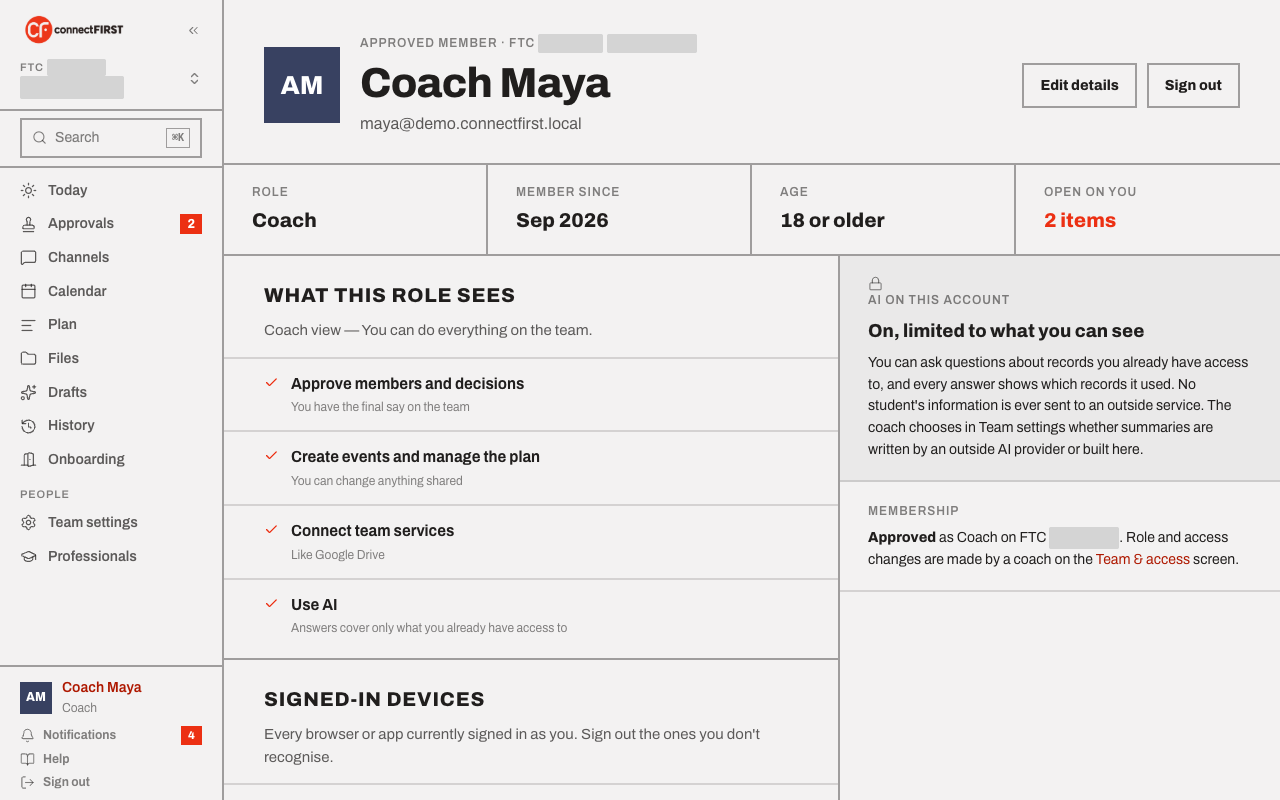
What this role sees
A plain-language list of exactly what your role can do — the same information the roster shows about everyone, just written for you specifically.
AI on this account
Whether AI is on for you, and what it's limited to. For a student under 18, this stays off until a guardian consents — see Invite your team for that flow.
Signed-in devices
Every browser or app currently signed in as you. Sign out any you don't recognize from here, without having to change your password (there isn't one — connectFIRST is sign-in-link only).
Your calendar link
A private, read-only link for subscribing to your role-filtered events from Apple Calendar, Google Calendar, or any app that reads a standard feed — covered in Calendar. Regenerate URL if the link ever needs to stop working for whoever had it before.
Membership
The bottom of the page states your status plainly — approved, and as what role — and points out that role and access changes are made by a coach (from Team settings, or Team & access for students and parents), not here.