
Channels is the team's conversation — organized by topic, not one endless thread.
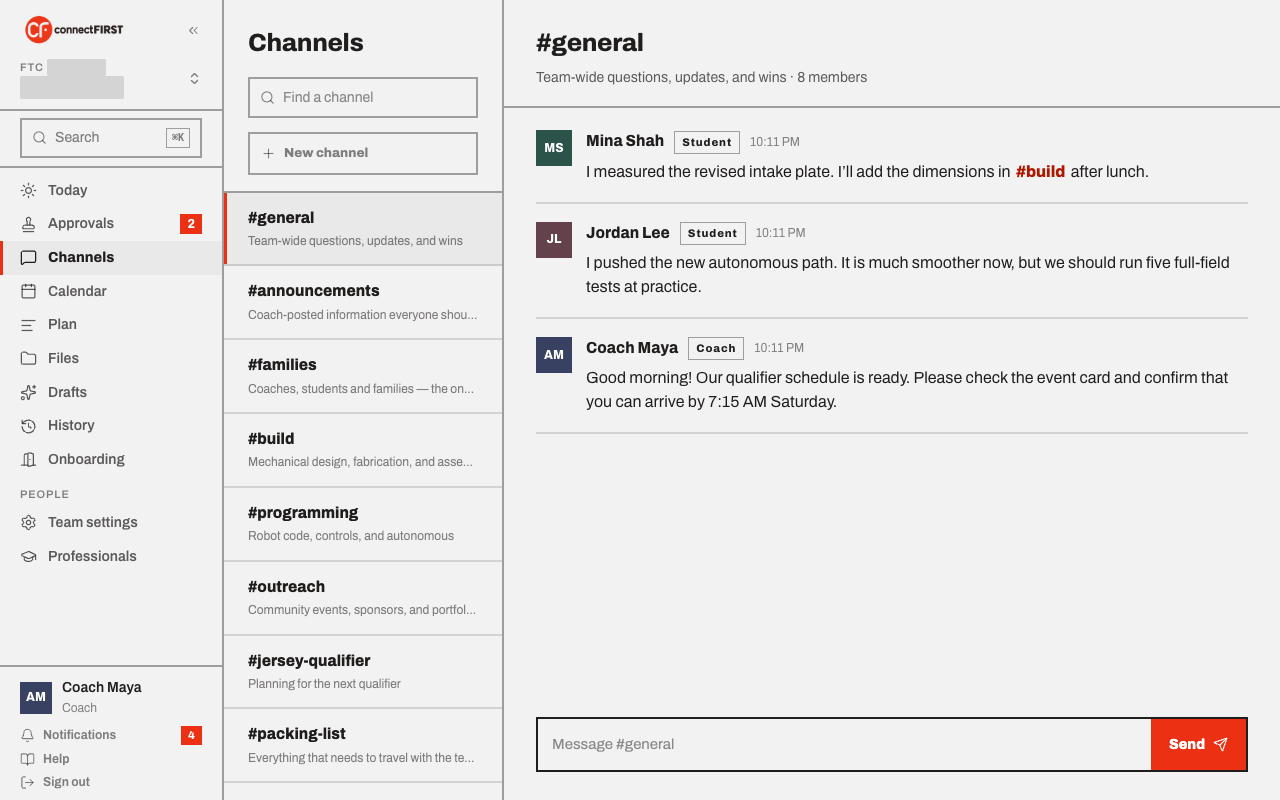
The two starter channels
Every team begins with #general (everyone talks) and #families
(the one channel a parent posts in). A coach adds more from New
channel as the season needs them — #announcements stays coach-only.
Mentions and links
Type @name to mention someone — they get notified. Type #channel-name
to link straight to another channel; it's clickable, the same way it
would be in any chat app. Start typing either and a list of matches pops
up so you don't have to remember exact spelling.
A parent doesn't see the full roster, so their @ list is just their
coaches and their own student — the people a parent would actually flag in
#families. Typing any other name by hand still works and still notifies
that person.
Who can post where
A parent or other observer follows every channel — they see
everything live — but can only post in #families. Every other channel
shows them a note instead of a composer, like the one a coach or student
would use to send a message. This isn't a permissions oversight; it's
the same rule connectFIRST applies everywhere: no coach↔student direct
messages, and parents stay visible but don't run the conversation.
There is no private messaging
connectFIRST has no direct-message feature at all, by design — every conversation happens in a channel the coach can see.