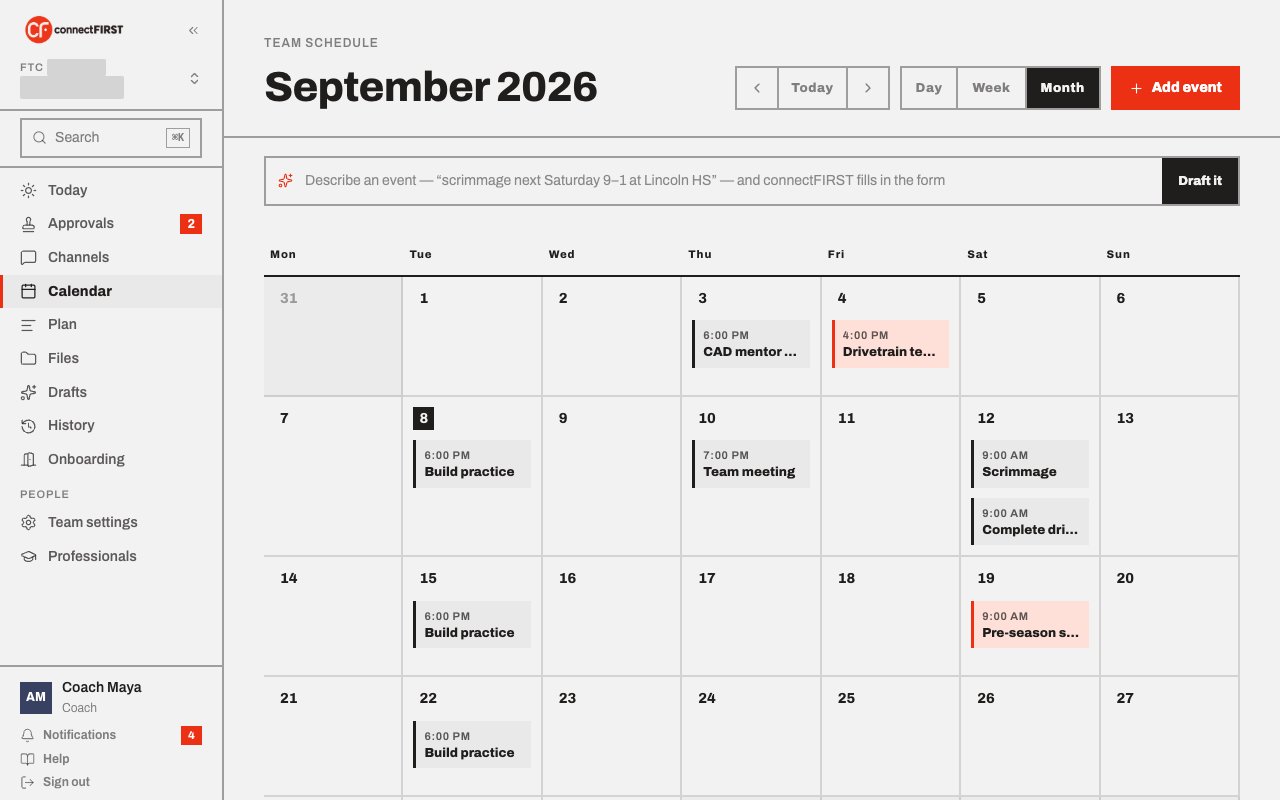
Calendar is the team's one schedule — official competition dates alongside whatever the team adds itself.
Where the official dates come from
FTC and FRC teams have their events synced automatically from FIRST's own API — nothing to enter by hand, and it stays current. Everything else — practices, meetings, parent nights — the team adds itself.
Adding your own events
Click Add event for a practice, meeting, or anything else worth putting on the shared calendar. A work item's due date also shows up here automatically, the same way the one visible in the screenshot above does — you don't add those twice.
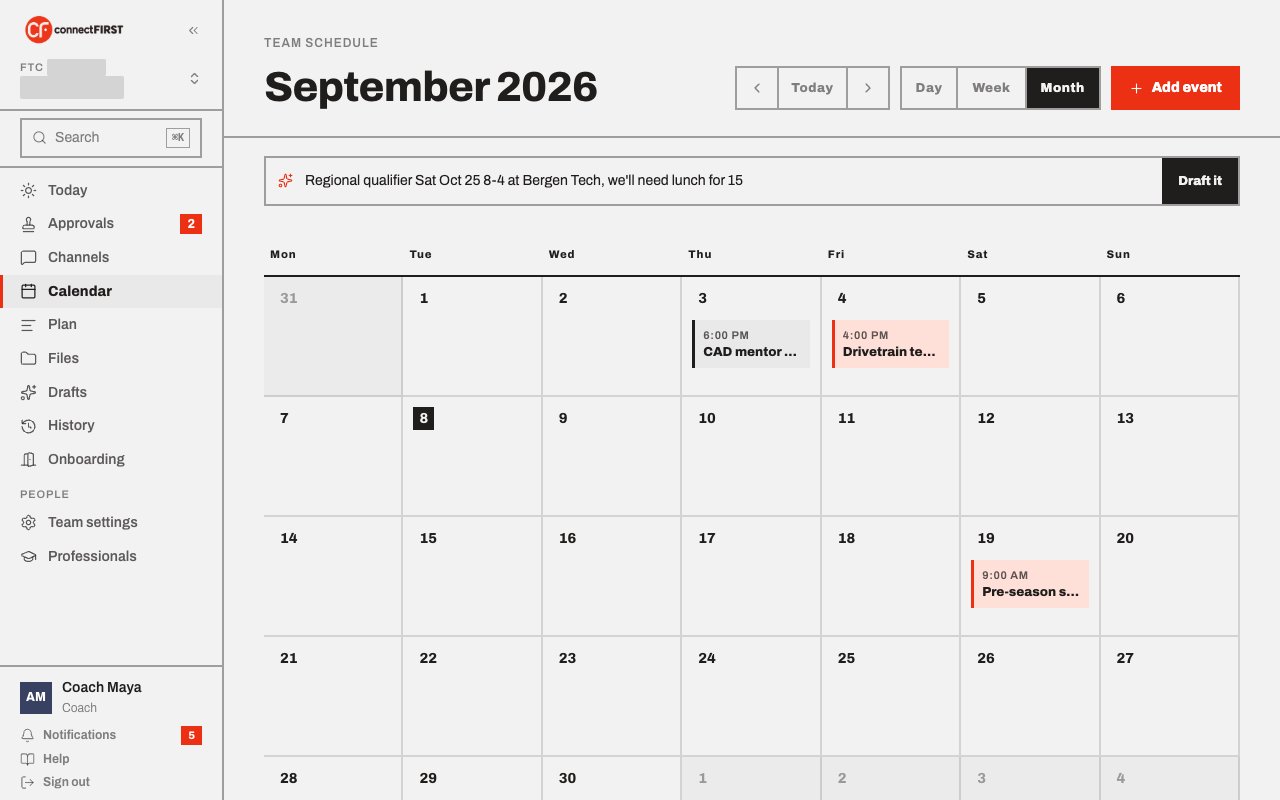
Or describe it in the Draft it bar — "scrimmage next Saturday 9–1 at Lincoln HS, we'll need lunch" — and connectFIRST fills in the Add-event form for you to check and save. It reads dates, times, a venue, whether the event repeats, and whether food is needed; it never saves anything on its own. (This needs an AI provider turned on in Team settings; without one, use the form.)
Food and travel for an event
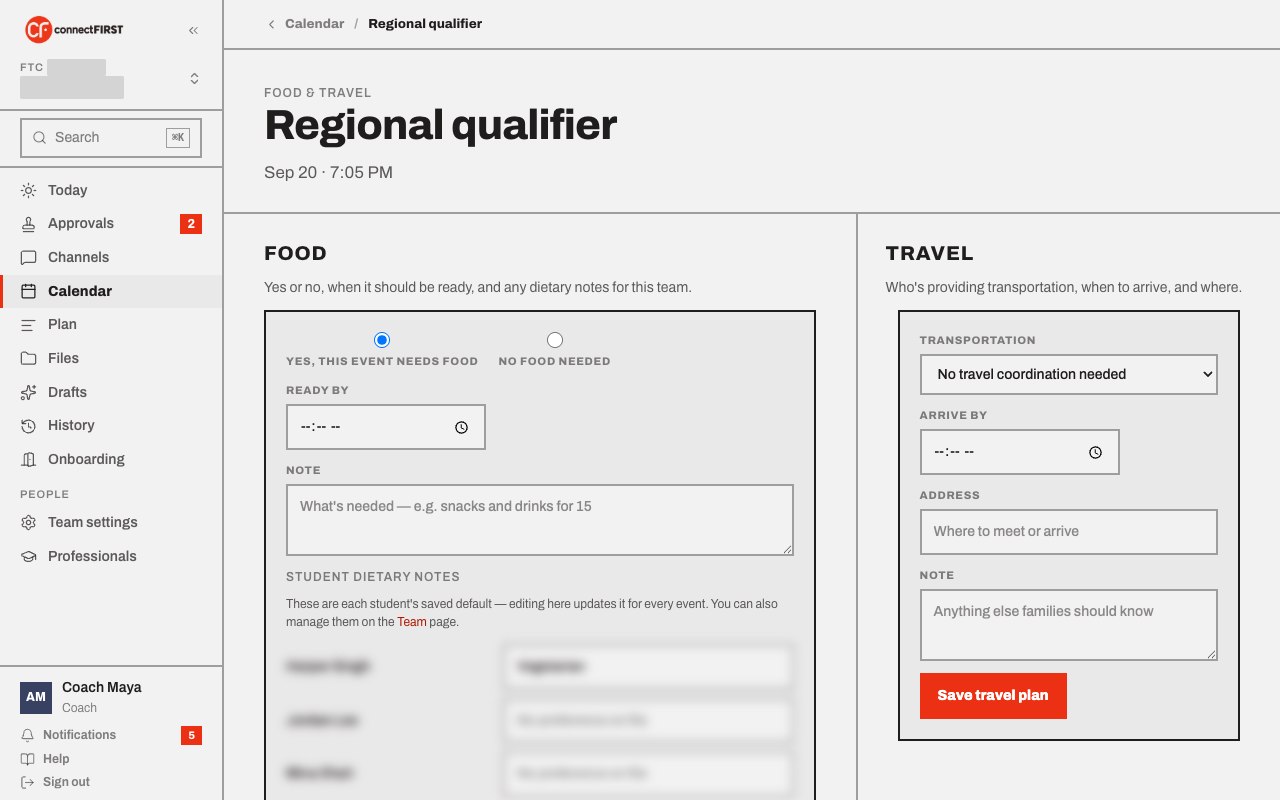
When you add or edit an event, tick This event needs food and saving takes you straight to that event's Food & Travel page with "Yes, this event needs food" already selected. Fill in when it should be ready and any note, then Save — that's the point every parent is notified, so nothing goes out until you're ready. You can always open Food & Travel later from the event itself.
Switching views
Day, Week, and Month show the same events at different zoom levels; use the arrows or Today to move around.
Subscribing from your own calendar app
From Profile, you can copy a private calendar link and add it to Apple Calendar, Google Calendar, or any app that reads a standard feed. It's read-only and filtered to what your role can see, and it only shows what's on connectFIRST — editing your own calendar app doesn't change anything here.